Google Business Profile
Connecting Your Google Account Linking your Google account to your Google Business Profile so your review automations can work.
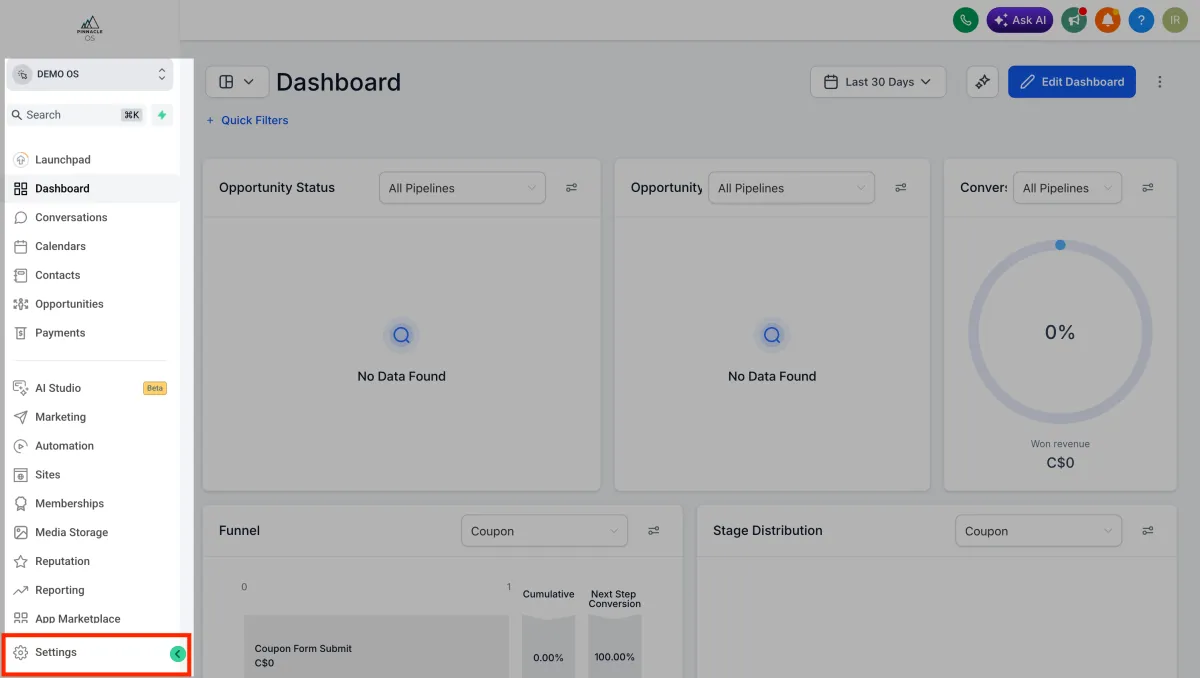
Go to Settings
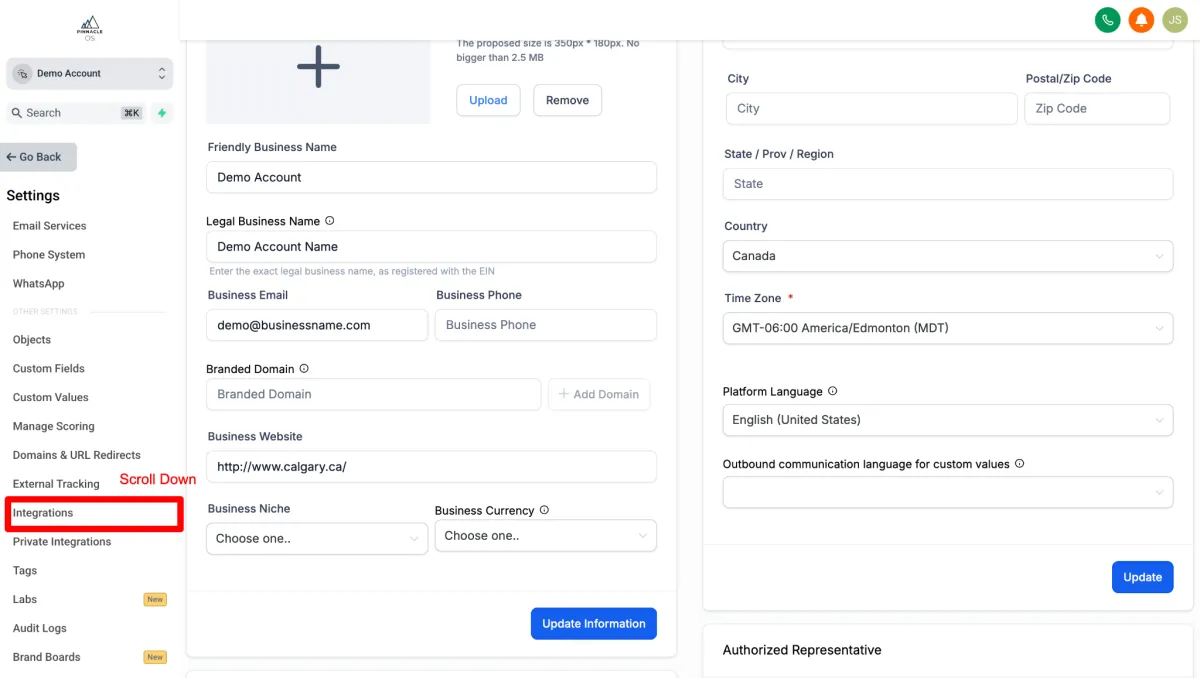
Scroll Down and Select Integrations
Find Google and Select Connect
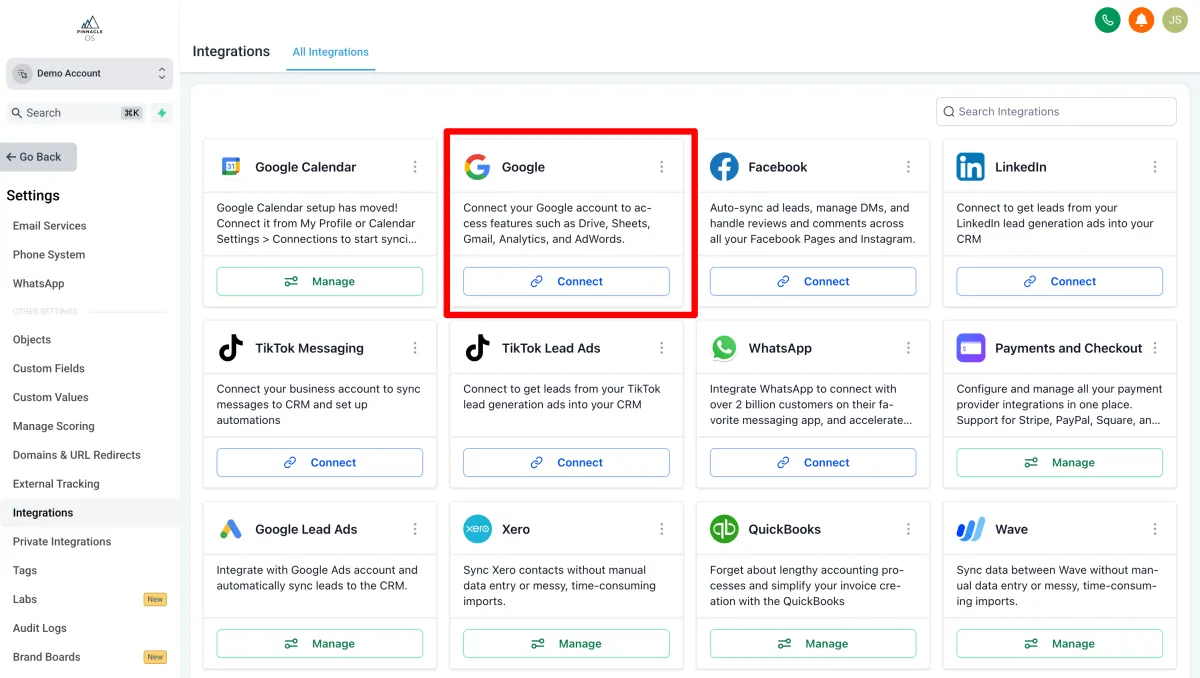
A Google login window will appear — sign in with the Google account linked to your Google Business Profile. Select Allow to grant the necessary permissions
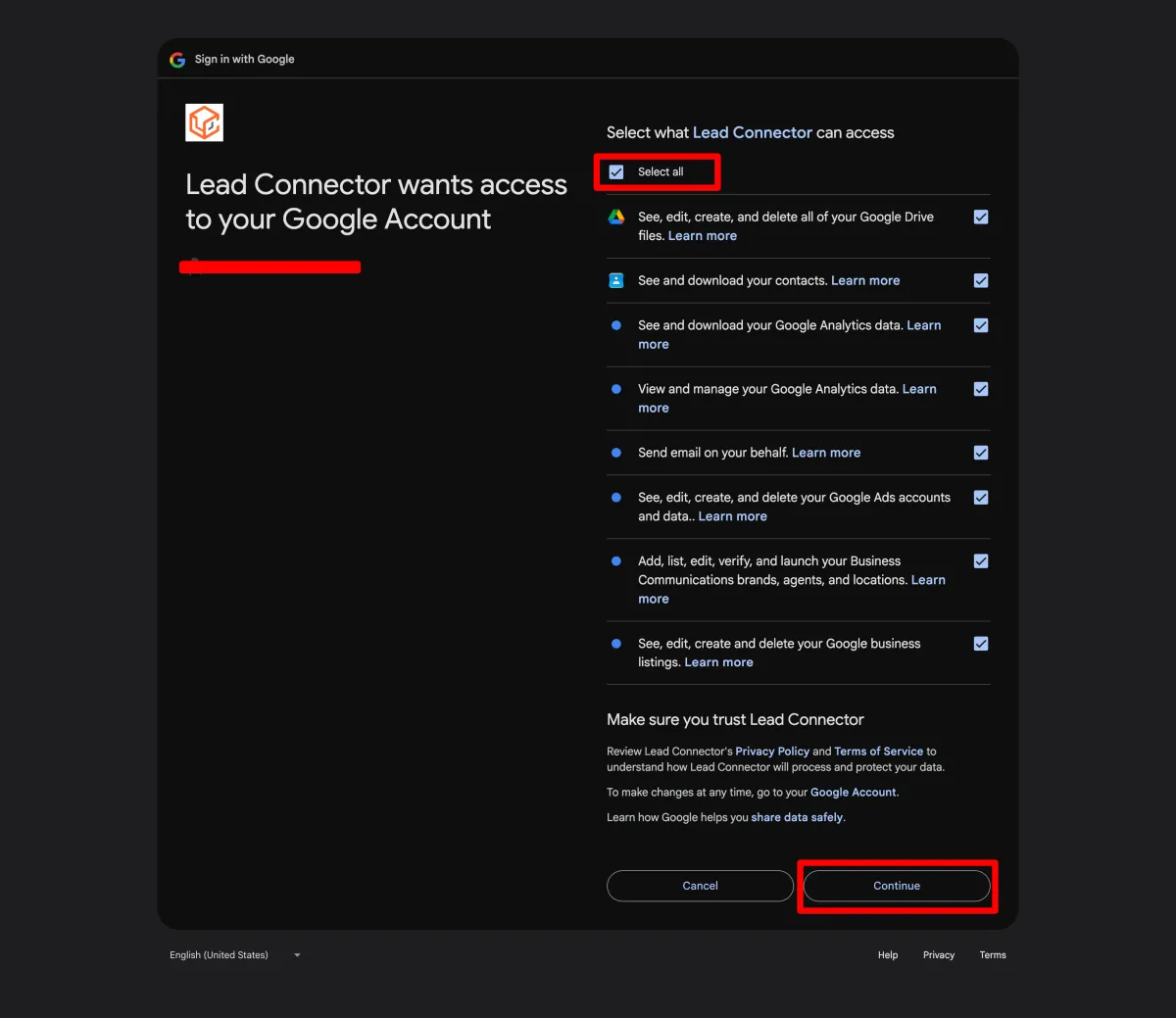
Onmce Connected, You will be re-directed to Integrations.
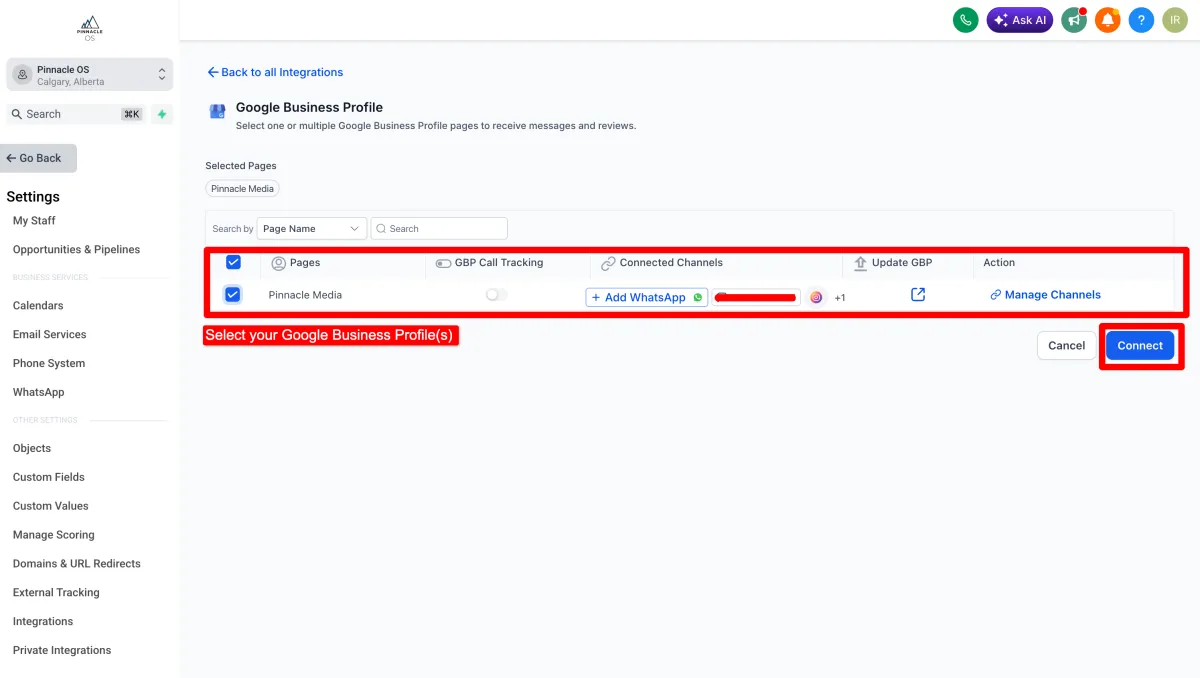
Scroll down to find the Google Business Profile and Connect/Manage
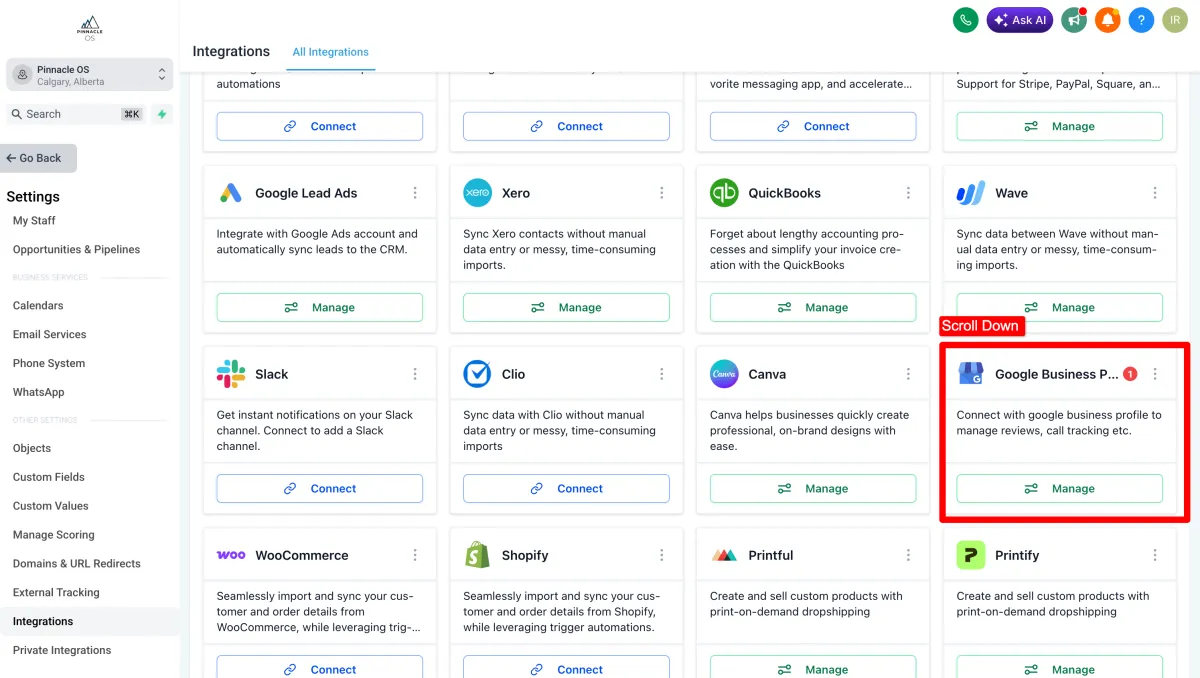
Select your business location when prompted. You will see a green connected status when it is done