Pipelines & Opportunities
Manage your Client Pipelines and where your clients are at for each stage from being a New Lead to a Closed Deal
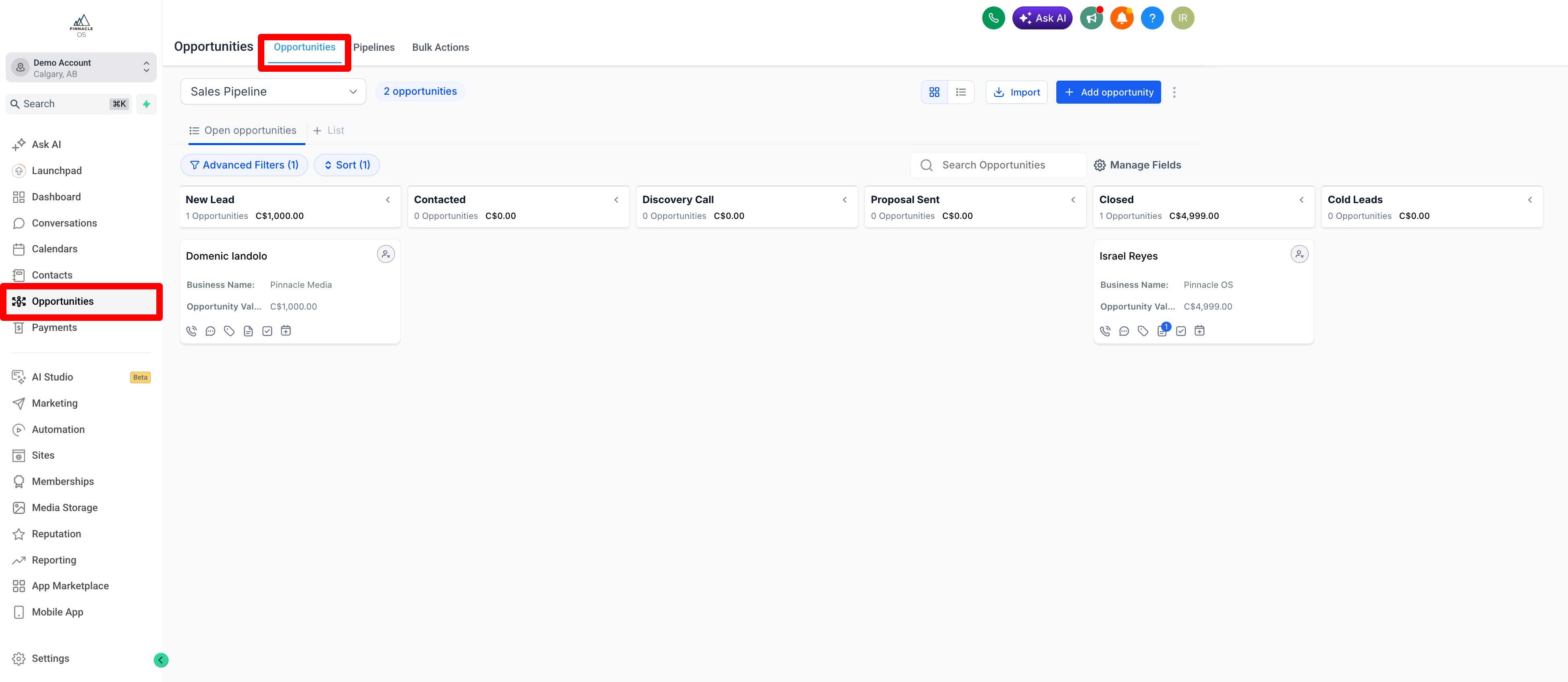
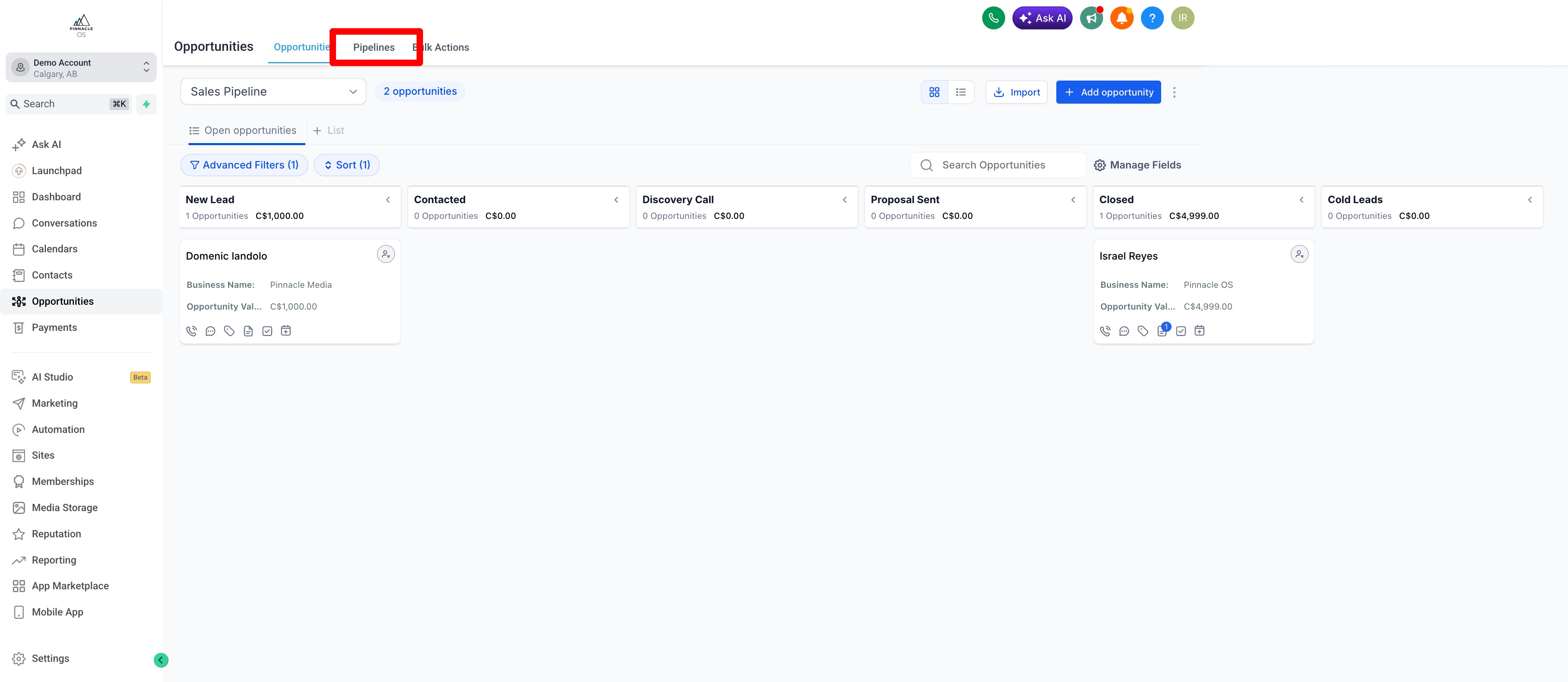
Go to Opportunities and Select Opportunities
You will have a standard "Sales Pipeline" created for you
New Leads from your Forms will always auto-populate as a New Lead.
But you can create or customize your own pipeline depending on your process
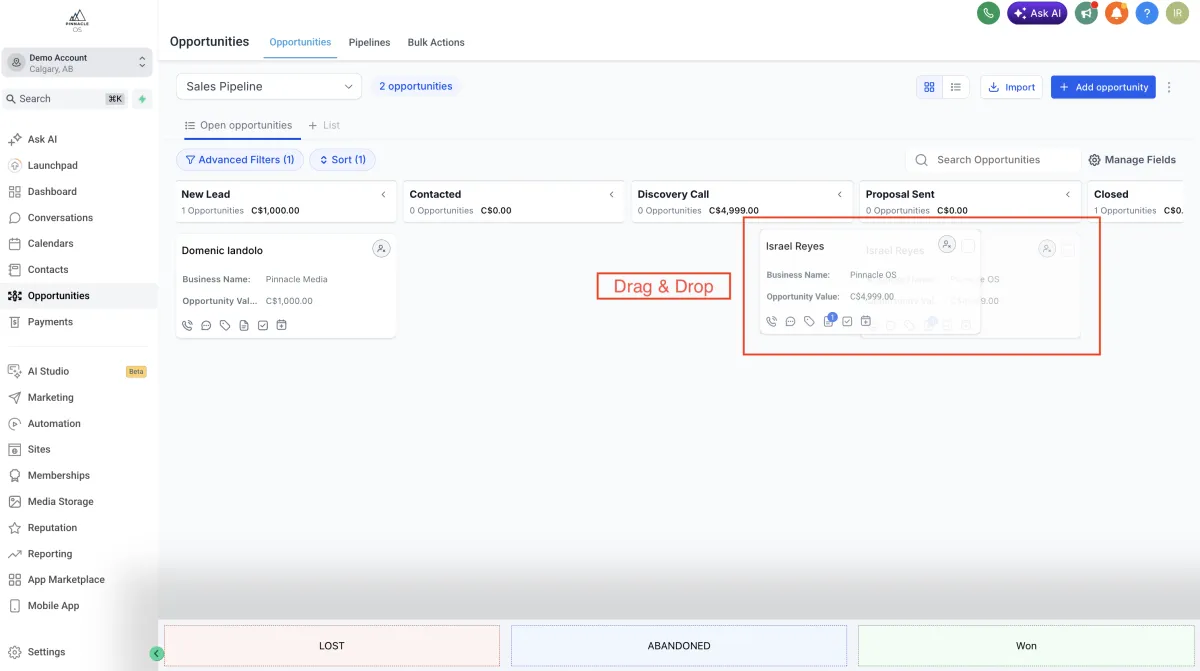
You can Select and Drag Opportunities depending on which Stage of the sales process they are at.
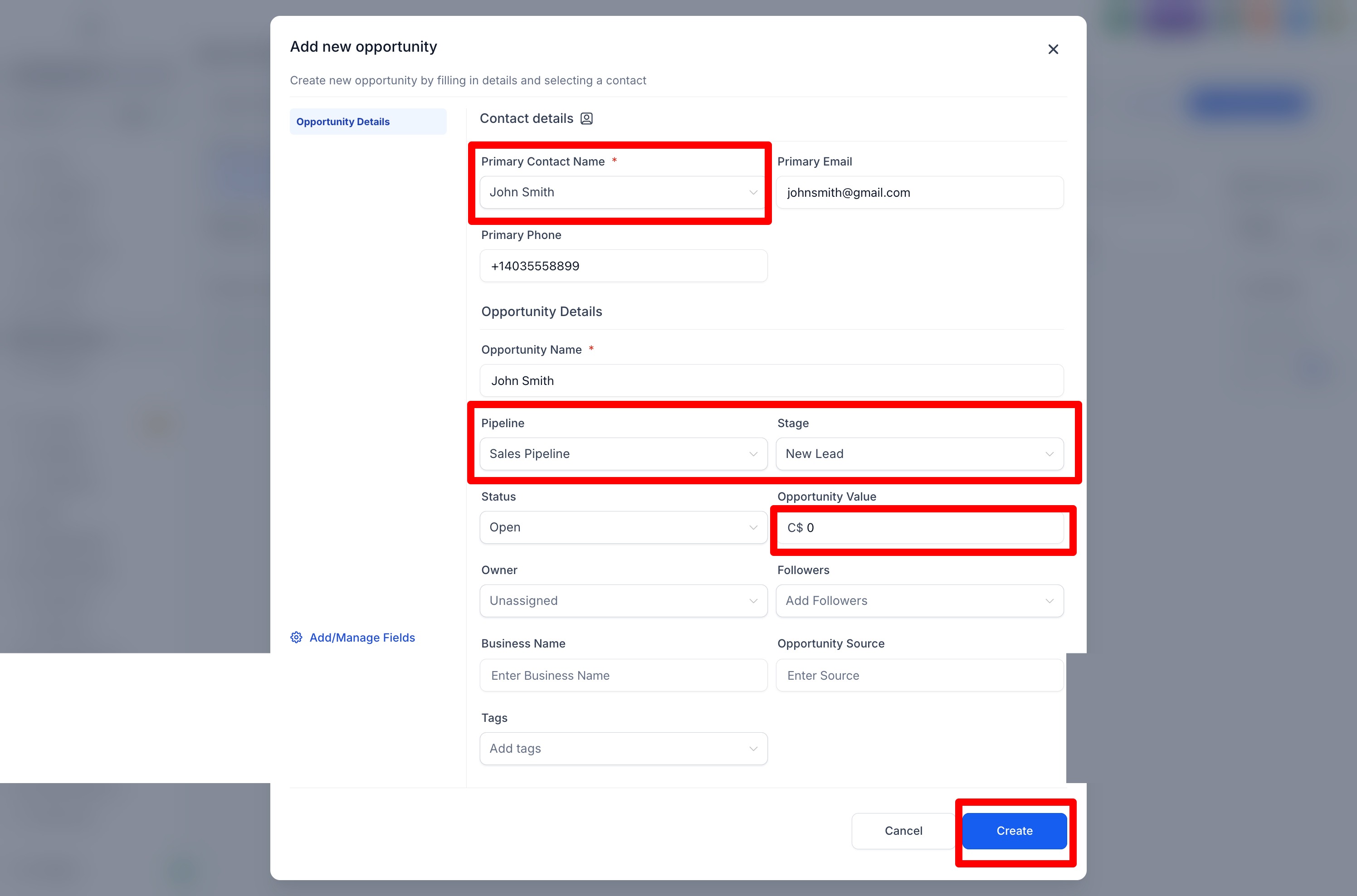
You can add Opportunities (Opportunities could be new leads or 'opportunities to do business'
Select the Lead you've
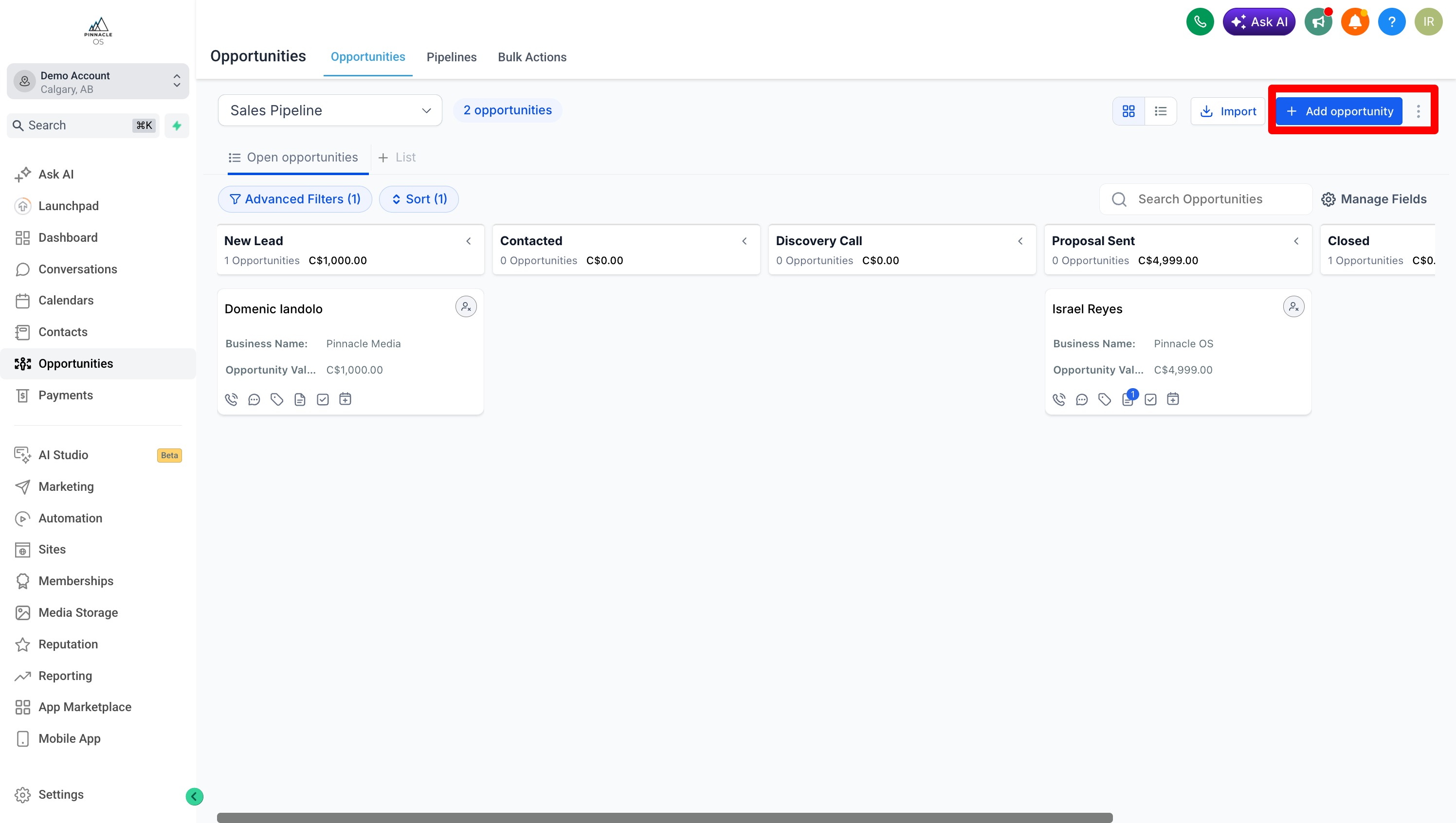
Select the Client or Contact and Assign the "Value or Worth of the client opportunity"
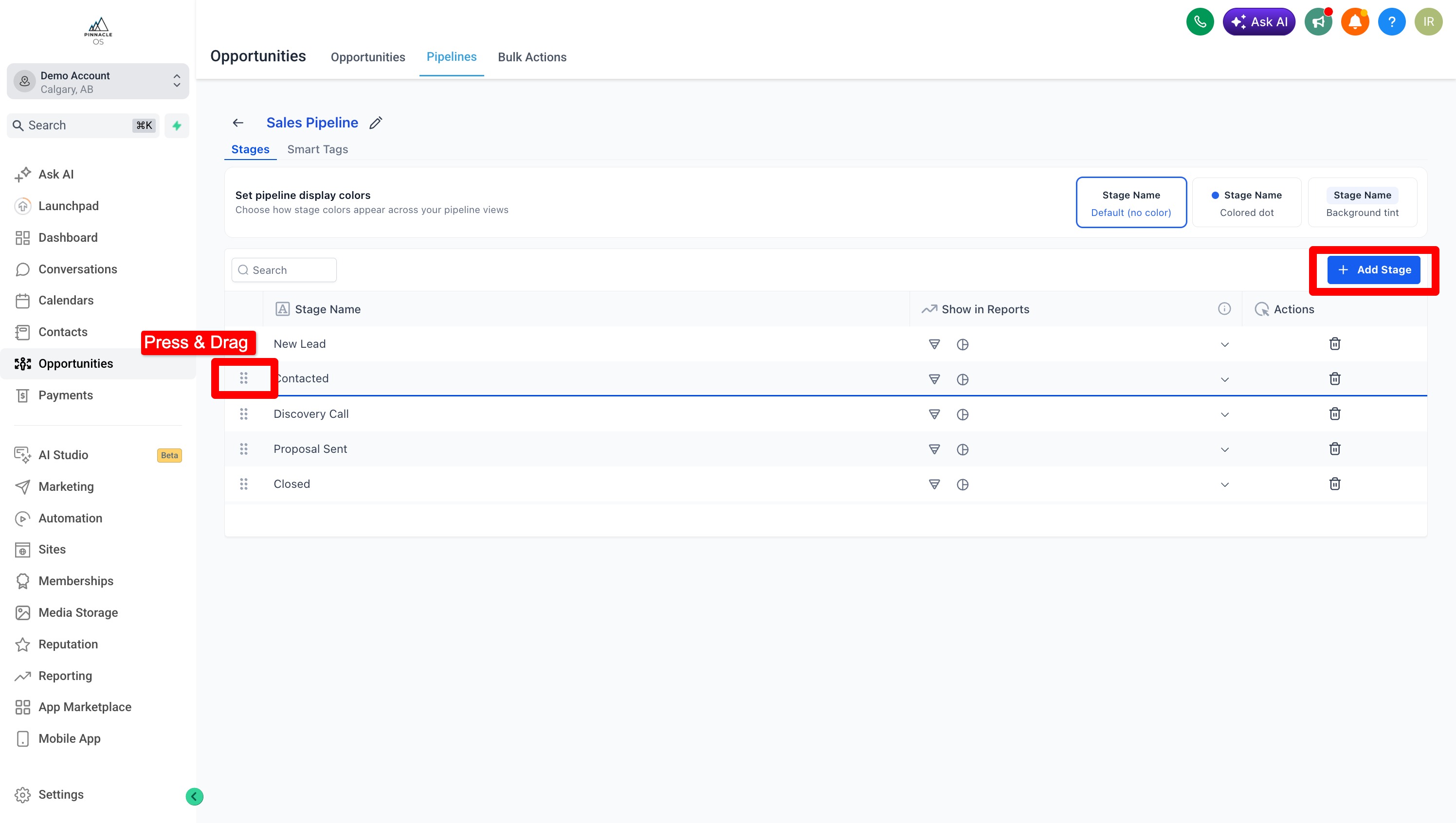
To create or customize pipelines go to Pipelines
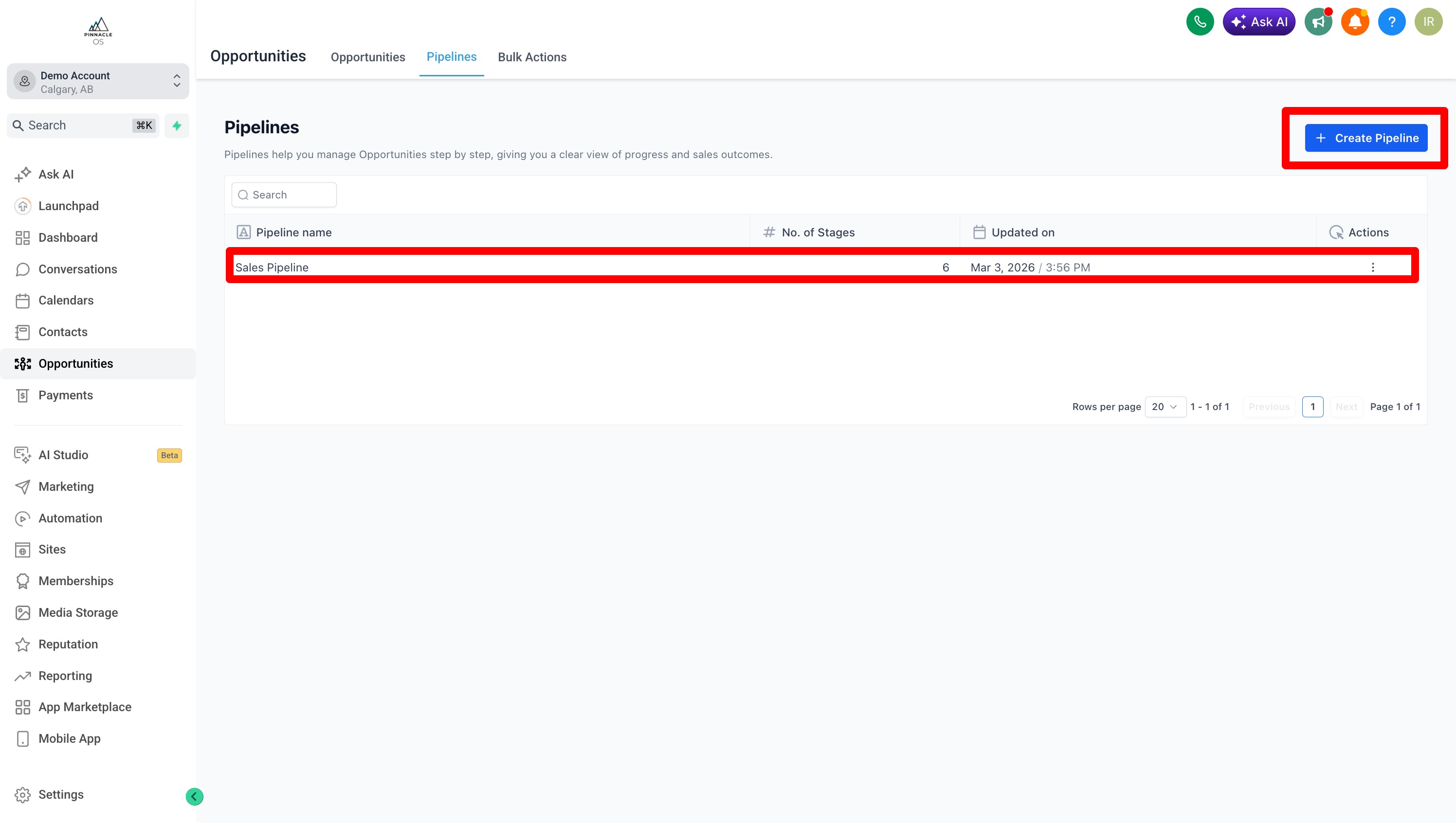
To create or customize pipelines go to Pipelines > Create Pipeline
Name and Add Stages of your choosing
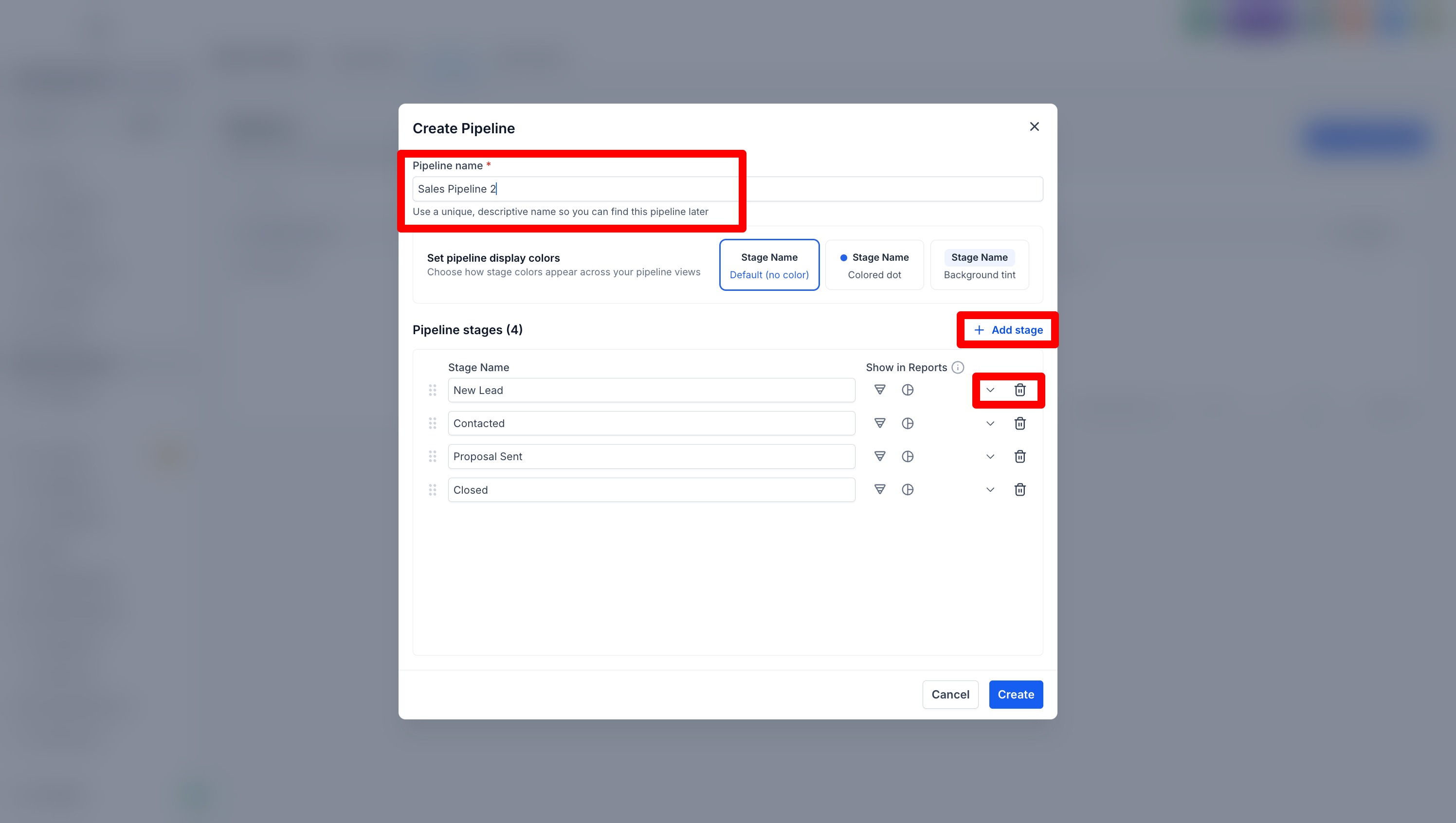
Select the Pipeline and Customize by adding, deleting or re-ordering the sales stages